

Coinbase
Coinbase.ipaCoinbase v1 iPhone entertainment interface with dark Home and My assets previews, balance cards and a cryptocurrency watchlist.
MoonPay-style cash and crypto screens for staged iPhone scenes, with larp-ipas.com Help in Settings.
This is the MoonPay-labelled entertainment package in LARP IPAs. It is not the official app or service. Screens and amounts are fictional and intended for clearly staged creative work.
The recovered MoonPay-style preview uses larp-ipas.com as its default profile username. Its Help screen is available from Settings and uses a black background, white text and MoonPay purple accents.
These observations describe the supplied reference and package review. They do not promise that every visible button works or that the app connects to the named service.
The archive and ad-hoc signatures were validated locally. The app and native Help screen were checked using a Simulator-adapted QA copy. Real-device signing and navigation should be checked with your own installation workflow.
The bundle identifier is larp-ipas.com.moonpay. Help opens when selected from Settings; it is not a startup notice.
| Package | MoonPay.ipa |
|---|---|
| Declared version / build | 1.0 / 1 |
| Declared minimum iOS | 17.0 |
| Declared device family | iPhone, iPad |
| Archive size | 31.91 MiB |
Declared requirements are not a tested-device compatibility list. An iOS minimum does not guarantee operation on every later version. Package version labels are not release dates or official app-store versions.
Compare your iOS version with the declared minimum, check certificate/profile validity and record the installer's exact error. The IPA troubleshooting guide separates license, download, signing and launch problems. Do not enter real banking credentials or wallet recovery phrases into an entertainment build.
For a device-specific check, send support the package name, iOS version and signing tool. Never post license keys or certificate passwords publicly.
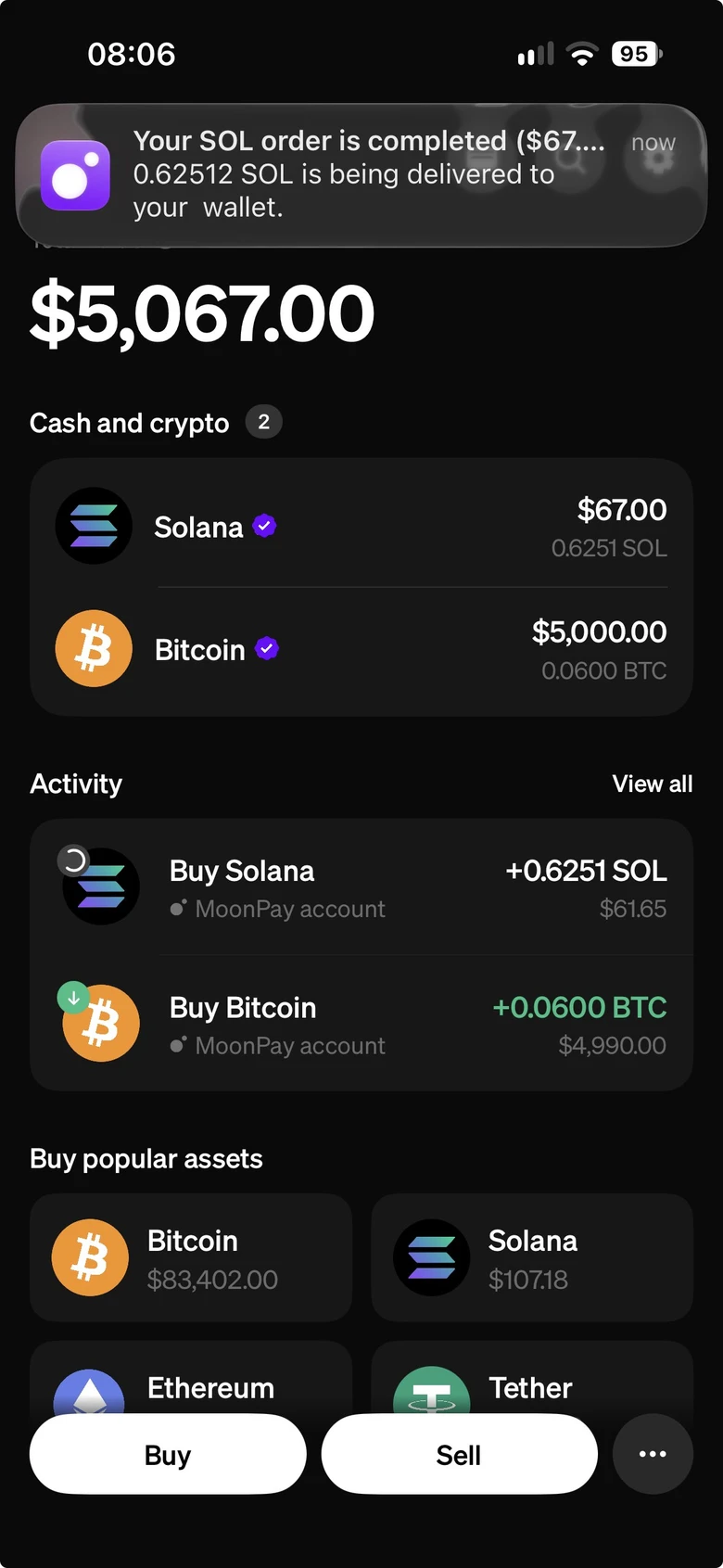
Coinbase v1 iPhone entertainment interface with dark Home and My assets previews, balance cards and a cryptocurrency watchlist.

Dark cryptocurrency portfolio-style screen for fictional scenes.

Dark wallet-style token overview for staged crypto scenes.