

Chase
Chase.ipaBanking-style accounts overview for film and UI references.
Chime-style iPhone entertainment demo with editable fictional balances, transaction labels and dates, saved locally on your device.
This is the Chime-labelled entertainment package in LARP IPAs. It is not the official app or service. Screens and amounts are fictional and intended for clearly staged creative work.
Create staged iPhone scenes with a green account dashboard, savings, cash back, MyPay and credit-score views. Balance values and transaction names, amounts and dates can be edited and persist locally. This independent LARP demo requires no bank login and does not connect to Chime, hold funds, process payments or access a real financial account. It is not affiliated with or endorsed by Chime.
These observations describe the captured screen. They do not promise that every visible button works or that the app connects to the named service.
| Package | Chime.ipa |
|---|---|
| Declared version / build | 1.0.0 / 2 |
| Declared minimum iOS | 17.0 |
| Declared device family | iPhone |
| Archive size | 1.71 MiB |
Declared requirements are not a tested-device compatibility list. An iOS minimum does not guarantee operation on every later version. Package version labels are not release dates or official app-store versions.
Open LARP IPA Signer and select Chime from the library after verifying your license. Signing requires a compatible certificate and provisioning profile.
Compare your iOS version with the declared minimum, check certificate/profile validity and record the installer's exact error. The IPA troubleshooting guide separates license, download, signing and launch problems. Do not enter real banking credentials or wallet recovery phrases into an entertainment build.
For a device-specific check, send support the package name, iOS version and signing tool. Never post license keys or certificate passwords publicly.
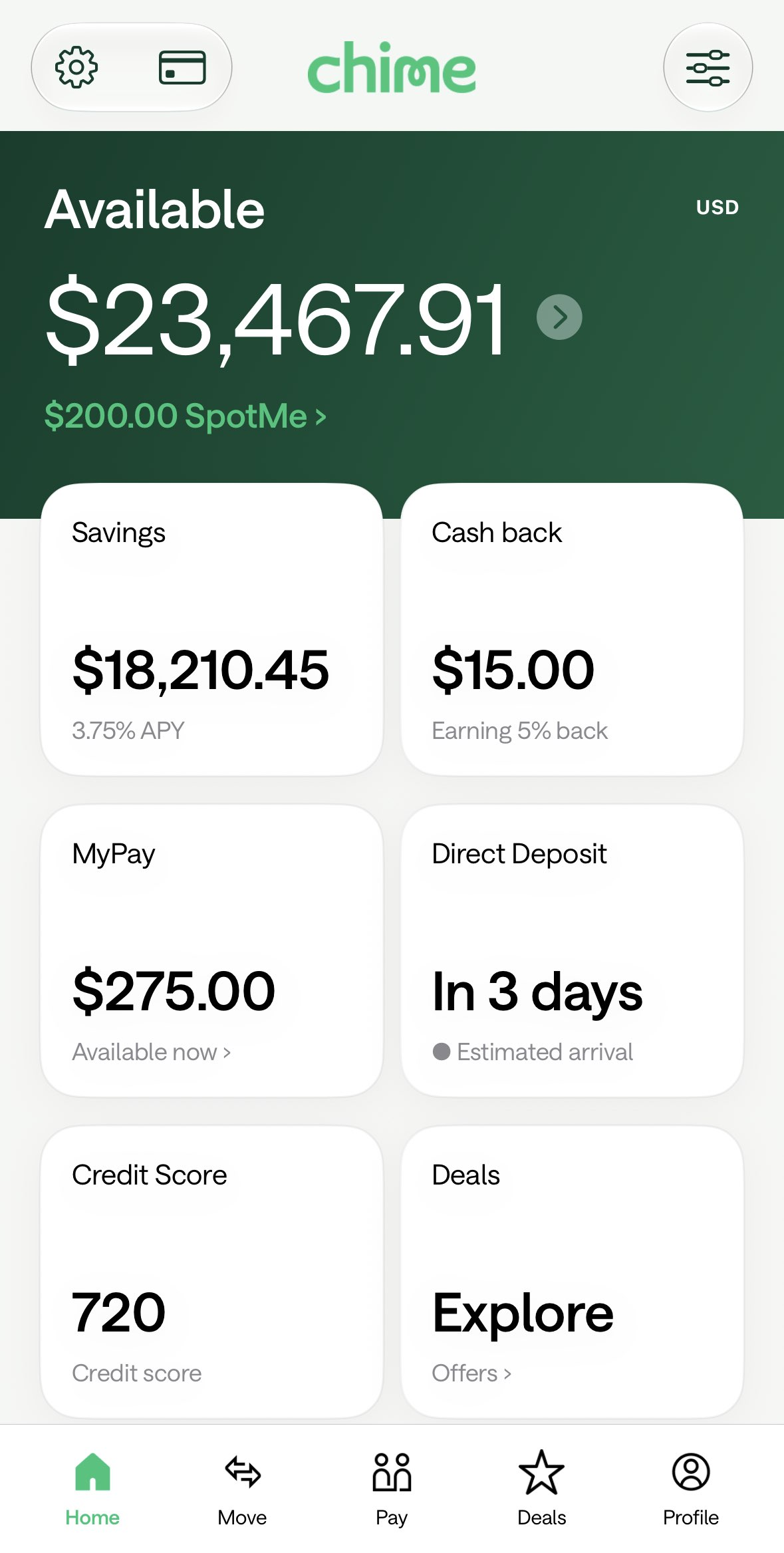
Banking-style accounts overview for film and UI references.

Banking-style checking and savings overview for fictional screen inserts.

Card account and rewards screen for fictional scenes.